A website written for your business, not adapted from a theme.
Custom website development means your site is built specifically for your business rather than adapted from a theme. Haryes writes the code, controls the performance budget, and hands you a site you fully own with no licence locks or builder subscriptions.
A theme decides what your site can be. Custom code does not.
A marketplace theme is built to suit thousands of businesses, so it ships with layouts, scripts and options most of them never use. Adapting it gets a site live quickly.
The cost shows up once the site has to grow.
- Load times of five to ten seconds on a mid-tier Android phone.
- Layouts that break when the theme or a plugin updates.
- Licence and plugin renewals that never stop.
The kinds of custom website, and which one you actually need
Custom website development is not one product. The phrase covers several quite different builds that happen to share a method: the templates are written rather than bought, and the page structure is decided by your business rather than by a theme author who has never met you. What changes between them is how much of the site is editorial, how much is catalogue, and how much has to be generated from structured data rather than typed by hand.
Getting this wrong is expensive in a specific way. A business that needs a catalogue site and is sold a brochure site ends up pasting product details into rich text fields, and two years later nobody can sort, filter or list that content because it was never structured. The reverse mistake is just as common: a five page firm handed a system with twenty content types that nobody ever fills in.
Brochure and corporate sites
A small, stable set of pages that explain what the business does and ask for an enquiry. Typically home, services, about, proof and contact. The content changes a few times a year. What makes this custom rather than a template is that the service pages are written around the questions buyers actually ask before they call, and the page weight stays inside a budget rather than drifting upward every time a plugin is added.
Content-led and publisher sites
Sites where new pages appear every week: insights, news, guides, research. The structure matters more than the design here, because the site has to stay navigable at two hundred articles as well as at twenty. That means topic hubs, consistent internal linking, author and reviewer records, and a sitemap that reports real change dates. If your team publishes several times a week and wants a familiar editorial interface, say so early, because WordPress development may serve you better than a bespoke stack.
Catalogue sites that do not take payment
Plant hire, property, vehicles, machinery, course listings. The defining feature is a repeating record with real attributes: price band, location, capacity, availability. These belong in structured fields, never in a block of formatted text, because the moment they are structured you can filter them, sort them, generate listing pages from them and mark them up for search engines. A catalogue site that never takes a card payment can still be the most technically demanding build on this list.
Transactional sites
Once money changes hands the requirements change: stock, tax invoices, delivery rules, refunds, reconciliation. That is a store, and it has its own pillar. See e-commerce development for the platform decision, and M-Pesa payment integration for how payments reconcile against orders. We mention it here only so the boundary is clear: a custom website can be built to grow into a store, and the page map should anticipate it if that is the plan.
Multi-location and multi-branch sites
A business operating in several towns needs a real page for each place it serves, with content specific to that place, not the same paragraph with the town name swapped. Generated pages that differ only by a place name are a well-known liability. The custom approach is to give each location its own template and its own genuine content, so the page earns its position. Our own location pages are built this way.
Multilingual sites
English and Kiswahili, or English and French for regional operations. The work is less about translation than about structure: each language needs its own URL, its own sitemap entries, and reciprocal language annotations so a search engine serves the right one. Bolting a browser translation widget onto a finished site does none of this and is not a multilingual site.
Microsites and campaign sites
A short-lived site for a launch, a conference or a funded programme, often with a hard deadline and a defined end date. These are worth building custom when the main site is slow to change, but they should share the design system so they do not look like a different company. If the goal is paid traffic specifically, a Google Ads landing page is a narrower and usually cheaper answer.
Documentation and knowledge sites
Product documentation, policy libraries, standards. Dense, heavily cross-referenced, and judged almost entirely on whether a reader can find one paragraph quickly. Search, stable anchors, a table of contents on every page and versioning matter far more than imagery.
A fixed price and timeline follow from which of these you are building. A custom or growth website starts from KES 150,000 with a timeline of 4–5 weeks; the website design cost guide sets out what moves that number.
How your pages get mapped before anything is designed
The most consequential decisions on a website project are made before a single screen is designed, and they are almost never visible in the proposal. They are decisions about what pages exist, what each one is for, what it is called, and what happens to the address of every page that exists today. We do this as a written mapping exercise and we hand you the output, because it is the document you will still be using in three years.
There are six artefacts, produced in this order.
1. The inventory
Every page that currently exists, pulled from your live site, your sitemap and your analytics, in one list. Not what you think is there: what is actually there. On an older site this routinely surfaces pages nobody remembers publishing, duplicate service pages competing with each other, and a handful of pages quietly earning most of the traffic. If you have no site yet, this step is skipped and the next one does the work.
2. The intent map
For each page that will exist, one line stating the single question that page answers and what the reader should be able to do once it is answered. A page that cannot be described in one such line is either two pages or no page. This is also where pages get merged: three thin service pages that answer the same buyer question become one page that answers it properly.
3. The URL map
Old address on the left, new address on the right, for every row in the inventory. Three outcomes only: the URL stays, the URL changes and gets a permanent single-hop redirect, or the page is retired and its link equity is pointed somewhere sensible. Chained redirects, where an old address bounces through two or three others before arriving, are the usual cause of a traffic drop after a relaunch, and they are entirely avoidable at this stage.
4. The template map
Each new URL is assigned to a template. By the end of this step a sixty page site is usually five or six templates, and that collapse is the whole economic argument for building custom. More on this below.
5. The field map
For each template, the named fields it exposes to whoever edits it, with the type and the rules for each: this heading is plain text and capped in length, this is a list of proof points, this is a date, this image has required alternative text. The field map is what turns an editing screen into something your team can use without supervision, and it is the difference between a content model and a wall of rich text.
6. The link map
Which pages link to which, and with what anchor text. Internal links are not decoration; they tell search engines how your pages relate and what each one is about, and vague anchors like “read more” waste that signal entirely. Deciding this on a map rather than ad hoc during writing is what keeps a site navigable as it grows.
You receive all six. They are plain documents, not a proprietary format, and they remain useful whoever maintains the site afterwards. If a future developer tells you the structure is undocumented, you will be able to hand them this instead of paying for it to be rediscovered.
Pages are many, templates are few
This is the idea most page builder sites never get the benefit of. A page is a thing a visitor lands on. A template is the written code that renders a whole class of pages. A site with sixty pages built on six templates is a fundamentally different object from a site with sixty hand-arranged layouts, even if they look identical at launch.
The difference shows up in four places.
- A new page costs filling in fields, not rebuilding a layout, so your team can add one without a developer or a budget conversation
- A design change is made once in the template and appears on every page of that type at the same time
- Consistency holds by construction, because there is no mechanism by which page forty can drift away from page two
- Performance work is done once per template rather than audited page by page, which is why a budget of 800KB per page is enforceable at all
The cost is honest and worth stating: templates take longer to build than the first few pages would on a builder, and the payback starts at roughly the tenth page. For a five page site that will never grow, the maths does not favour a custom build, and we will say so on the scoping call rather than after you have paid.
The admin dashboard you are handed
Every custom site we build comes with an administration area, and it is worth being precise about what that means, because the phrase is used for two unrelated things. Here it means the private interface where your team edits the content of the website. It is not a business intelligence dashboard, a staff portal or an operations tool; those are software rather than a website, and they live under custom web applications.
The distinction matters commercially. A website admin is scoped with the site and included in it. An internal tool has its own requirements, its own permissions model and its own budget, and pretending otherwise at proposal stage is how projects overrun.
Fields, not a canvas
A page builder gives an editor a blank canvas and a box of components, which sounds like freedom and in practice means every page can be broken by whoever edits it last. A fields-based admin gives the editor exactly the inputs that template accepts, in the order the page uses them, with the rules enforced at the point of entry. An editor cannot accidentally delete the structured data block, because it is not a block they can see. They cannot publish a cover image without alternative text, because the field will not let them.
The tradeoff is real and we will name it: your team cannot invent a brand new page layout on their own. In our experience that is almost always the right trade for a business site, and almost always the wrong one for a team of designers.
What the admin typically includes
- A list view of all content with status, date and a search, so finding a page does not mean scrolling
- Draft and published states, so unfinished work is never live
- Fields with validation and character guidance for titles and meta descriptions, shown as you type rather than caught in an audit months later
- Image upload that resizes and re-encodes on the way in, so an editor cannot accidentally put a four megabyte photograph on a page
- Sign-in protection on every administrative route, with sessions that expire
- A record of enquiries submitted through the site
What we learned building our own
This site runs the same way, and a few things only became obvious once we were the ones using it daily.
The first is that saving content should not trigger a deployment. Early on, publishing a post committed a file and rebuilt the site, which meant a typo correction took minutes and a bad save could fail a build. Content now lives in a database and is read on request, so a save is live immediately and a mistake is fixed as quickly as it was made.
The second is that images should never go into the code repository. They are large, they are binary, and once committed they are in the history permanently. Uploads belong in object storage, resized on arrival, with the page storing only an address.
The third is about dates, and it is the one most content systems get wrong. Most record a single modified timestamp that moves whenever anything is written, including a re-save that changed nothing. If that timestamp is what the site reports as the page’s update date, the site is claiming a revision that did not happen, on every page, every time. We keep the date the text actually changed separately from the date the row was written, and only the first one is published. It is a small distinction that keeps the site honest about its own freshness, and we would not have thought to draw it without running the thing.
The fourth is that error messages have to appear where the person is looking. We shipped an upload failure notice that rendered correctly and was invisible, because the editing dialog covered it. A message nobody can see is the same as no message.
None of that is theory. It is what came out of using the system we build for clients, which is the main reason we still use it.
Every screen it has to reach
A custom build is not designed for a laptop and then squeezed. It is designed as one system of type, spacing and components that resolves correctly at any width, because the same templates render the public page, the catalogue, the admin your team edits in, and any logged-in area that comes later.
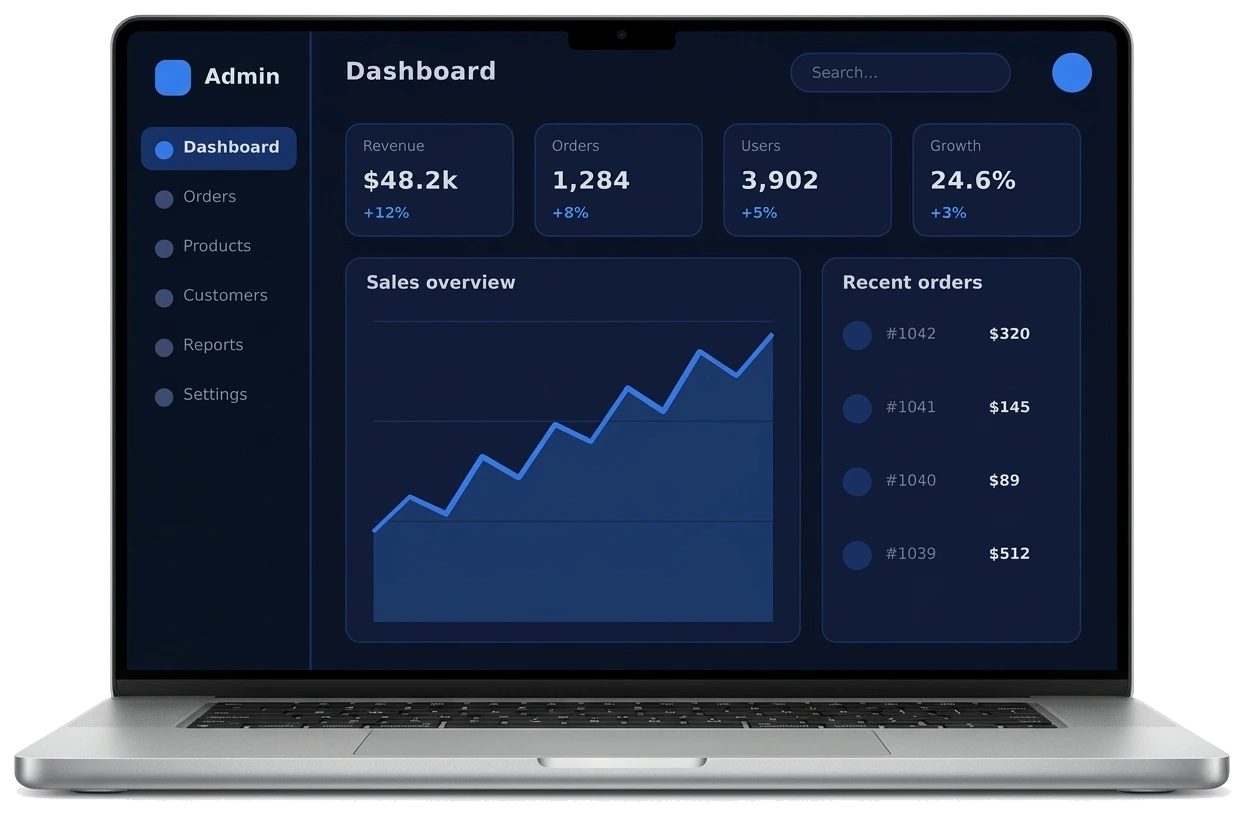
What responsive actually has to mean
The phone is the reference device here, not the exception. Most visitors to a Kenyan business site arrive on a mid-tier Android handset over mobile data, and so does a good share of the staff doing the editing. So a build is not finished when the layout stops breaking at narrow widths. It is finished when every screen it renders is genuinely usable one-handed on a phone.
That is a higher bar than a layout that reflows. It means tap targets large enough to hit while walking, forms that do not demand precision typing, tables that become readable stacks rather than a sideways scroll, navigation reachable with a thumb, and text that holds its size when the operating system is set to a larger font. It also means the admin gets the same treatment as the public page. A storefront that works beautifully on a phone, behind an admin that needs a desk, is a site whose owner cannot answer a customer from the shop floor.
And none of it counts if the page is slow. A layout can be flawless at every breakpoint and still be unusable if it takes nine seconds to become interactive, which is why we test on a real handset over a real connection rather than a desktop browser narrowed to a phone width. Narrowing a desktop browser hides precisely the problems that matter: the processor, the network and the thumb.
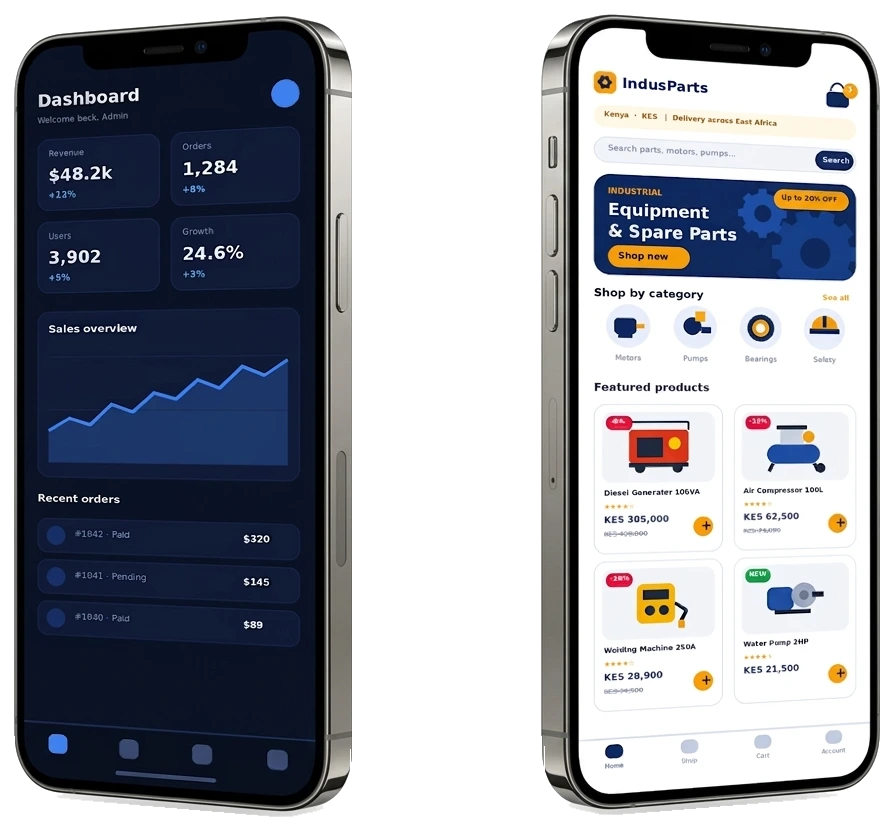
The two screens above are the same build. Neither is a cut-down mobile version maintained separately, which is the arrangement that quietly doubles the cost of every future change and guarantees the two drift apart.
That is why the budget is written into the contract rather than offered as an aspiration: Largest Contentful Paint under 2 seconds, total page weight under 800KB, JavaScript under 150KB. Those numbers are checked before launch and they are checkable by you afterwards with any public testing tool.
The admin is held to the same standard, which is less common than it should be. If your team can only update the site from a desk, they will not update it from a site visit, a trade show or a client meeting, and the content goes stale for reasons that have nothing to do with willingness.
Accessibility is part of the same work rather than a later pass. Contrast, focus states, keyboard operation and sensible tap target sizes are checked against WCAG 2.2 AA before launch. If you want the detail of how that is assessed, the UX audit page covers the method.
When a custom website is the wrong answer
We turn this work down often enough that it is worth writing down where the line falls.
If you need a site live in a fortnight for a deadline that cannot move, a custom build is the wrong instrument. Say so at the start and we will scope something achievable instead.
If the site is five pages, will stay five pages, and the business does not depend on search visibility, the template collapse that justifies a custom build never happens. A well-configured business website is a better use of the money.
If what you are describing has logins, roles, records that staff update, or a workflow with states, that is an application and not a website, whatever it is called internally. Scoping it as a website produces a thing that is awkward as both. Start at custom web applications instead, or at client portal development if the users are your customers.
And if you already have a site that works but is slow or dated, the honest answer is often a rebuild of the front end rather than a new site, keeping your content and your addresses intact. That is covered on the website redesign page.
Whichever of these fits, you will be told which one on the first call, before a proposal exists.
Five stages, each with something you can hold us to
The process is fixed and written down before any work starts.
Discovery and scope
A working session on the business, the audience and the goal.
A written scope, fixed price and fixed dates.
Structure and design
Pages, URLs and reusable templates, designed in Figma and reviewed with you.
Design signed off before code is written.
Development
Hand-coded front end on a staging server you can watch.
Every template inside the 800KB budget.
Content and QA
A pre-publish checklist and testing on a real mid-tier Android phone.
Core Web Vitals checked before launch.
Launch and handover
Old URLs redirected in a single hop, training recorded.
A site and a repository you own.
Numbers written into the contract
Measured on a mid-tier Android over a Kenyan mobile connection, before launch and after.
- Largest Contentful Paint
- <2s
The main content is on screen in under two seconds.
- Page weight
- <800KB
Everything the page downloads, images included.
- JavaScript
- <150KB
Script shipped to the browser, per page.
Budget commitments on every Haryes custom build
Designed as a system
Typography, colour and components applied to every template, not one-off page designs.
New pages stay consistent without a designer.
Hand-written front end
Semantic HTML and CSS, with JavaScript on a strict budget.
Nothing loads that the page does not use.
Search built in
Clean URLs, structured data and XML sitemaps from day one.
The site is legible to search and AI systems at launch.
Accessible by default
Keyboard operation, contrast and focus states checked to WCAG 2.2 AA.
Checked before launch, not after complaints.
Custom build, or something else?
We tell you which fits before you commit.
Custom website
You will keep the site four or more years and speed and search visibility matter to the business.
Scope my custom websiteWordPress
Your team publishes news, listings or events often and needs to edit without a developer.
See WordPress buildsCustom web application
You need logins, workflows or dashboards, which is software rather than a website.
See web applicationsWhat lands in your hands at launch
Four things on every custom build. See what a build costs.
A custom design system
Reusable templates, not one-off pages.
- Typography, colour and components
- Templates for every page type
- Figma files handed over
Hand-coded site
Built to the performance budget.
- LCP under 2 seconds
- Page weight under 800KB
- Tested on a real mid-tier Android phone
Technical SEO foundations
Ready to rank from launch.
- Clean URLs and XML sitemaps
- Structured data in a connected schema graph
- Single-hop redirects from any old site
Everything in your name
Code, hosting account and domain.
- Source code in a repository registered to your business
- Hosting account in your name, with billing you control
- Domain registered to you through a KeNIC-accredited registrar
Questions clients ask before they commit
What does a custom website cost?
A custom or growth website starts from KES 150,000, with a timeline of 4–5 weeks. You get a fixed price in writing after a short scoping call.
Can my team still edit it?
Yes. Content is managed through fields mapped to your pages, and we record a training session at handover. If your team publishes daily, WordPress may suit you better and we will say so.
How long will the site last?
A custom build is designed to last four or more years, where a theme-and-builder site commonly needs rebuilding after two or three.
Starting fresh, or replacing a theme site?
You need a site that reflects the standard of your work.
Start with a scope. It is fixed before any work begins.
Scope my custom websiteYour theme site is slow, fragile, or both.
We rebuild it without losing your content, URLs or rankings.
See website redesignA theme is someone else's idea of your business. We write the site around what you actually sell, and hand you every line of it.